WooBliz offers a variety of stunning product page layouts. Here’s how to use and customize them:
Applying the Layout with Divi Theme Builder: #
- Go to Divi > Theme Builder in your WordPress dashboard.
- Click the Add New Template (+) button.
- Choose the option to build a new template for All Products or specific products as needed.
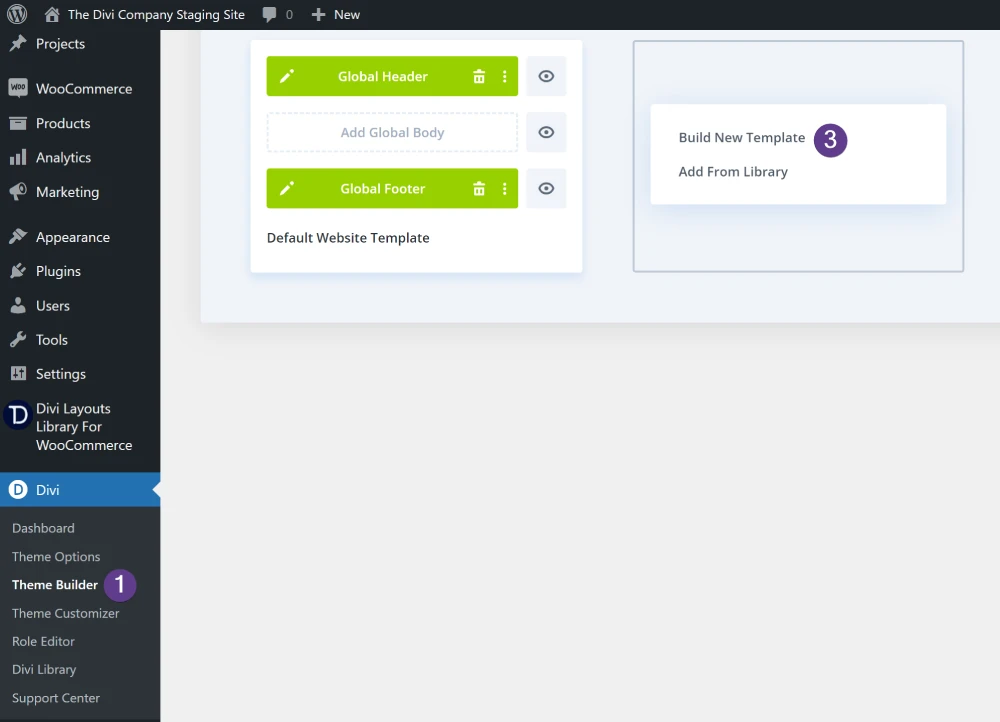
- In the template editor, click on Add Custom Body and then select Add From Library.
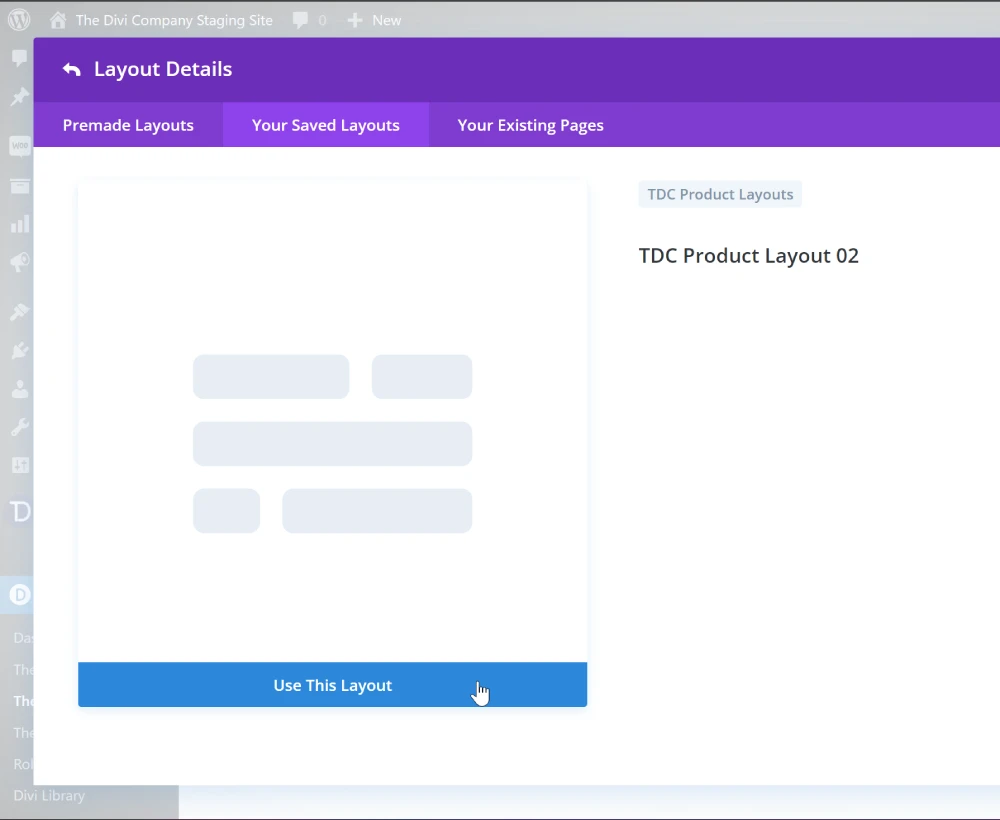
- Go to Your Saved Layouts tab and choose the imported product page layout from your library to apply it to your template.
Customizing the Layout: #
- Use Divi’s built-in design options to customize the layout according to your needs.
- Modify text, images, colors, and styles to match your brand.
Saving Changes: #
- Once you’re satisfied with the layout and customizations, click the Save button in the Theme Builder to save your changes.
- Your product page layout will now be applied to the specified products in your WooCommerce store.
By following these steps, you can easily apply and customize beautiful product page layouts from WooBliz to enhance your WooCommerce store’s product presentation.


